 English
 Pусский
 Français
 Español
 Portugues
 Deutsch
 lingua italiana
 العربية
 Melayu
 Filipino
 Монгол хэл
 dansk
dansk Bahasa indonesia
 日本語
日本語 한국어
한국어 Türk dili
 Tiếng Việt
 svenska
 Nederlands
 Norsk språk
|
What is an industry Motorized Microscope?
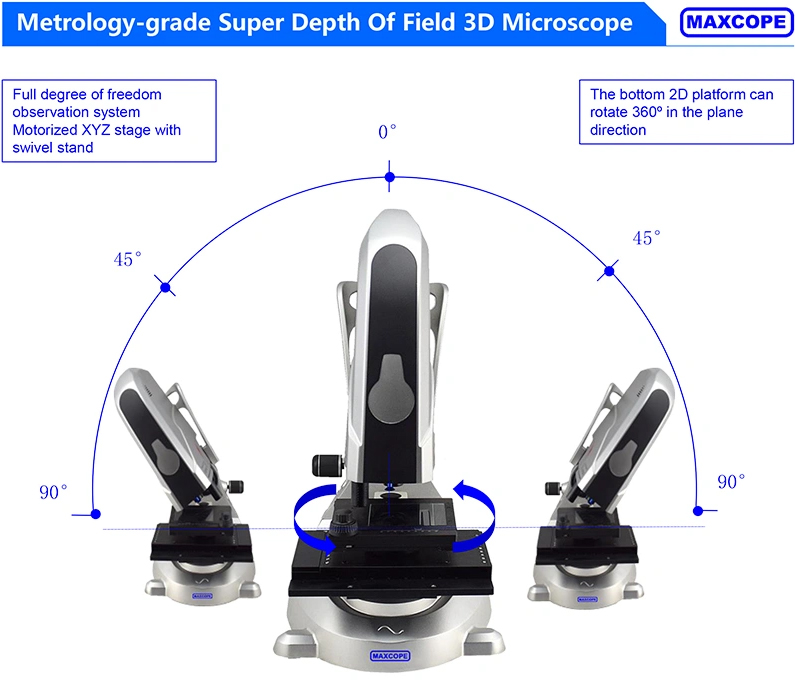
1. What is an industry Motorized Microscope?● All-in-One Industry Microscope, Motorized XYZ +Motorized Nosepiece + Inclined Stand● Industrial electric microscope is a three-dimensional microscope with ultra-depth of field. It can observe metals, wafers, fibers, banknotes and coins, etc. It is mainly used to measure metals. It is not recommended to observe slices because there is no bottom light source.
For Example:M20.5830
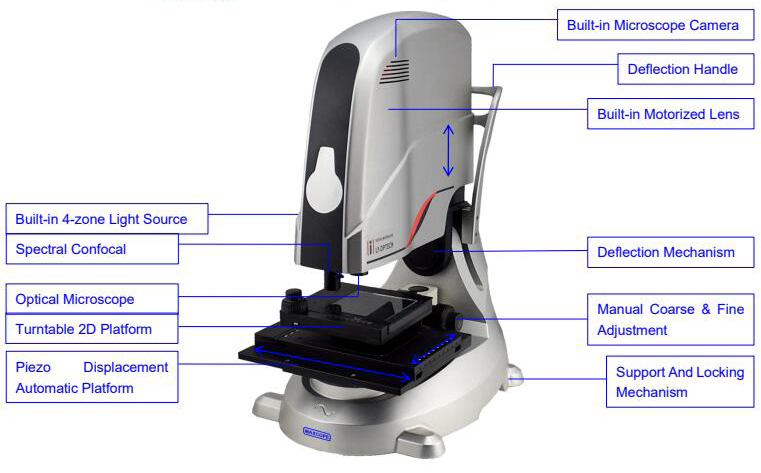
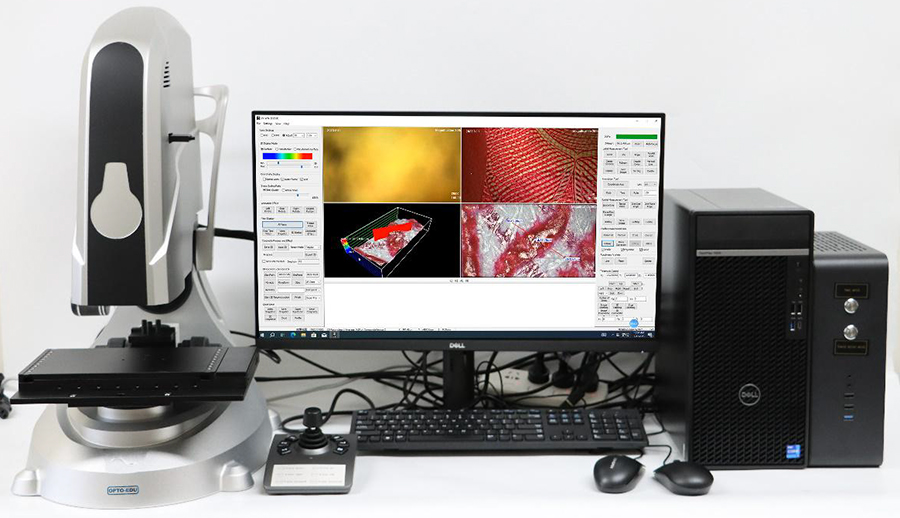 2. What is an industry Motorized Microscope have?M20.5830 Structure Diagram of a Super Depth Microscope
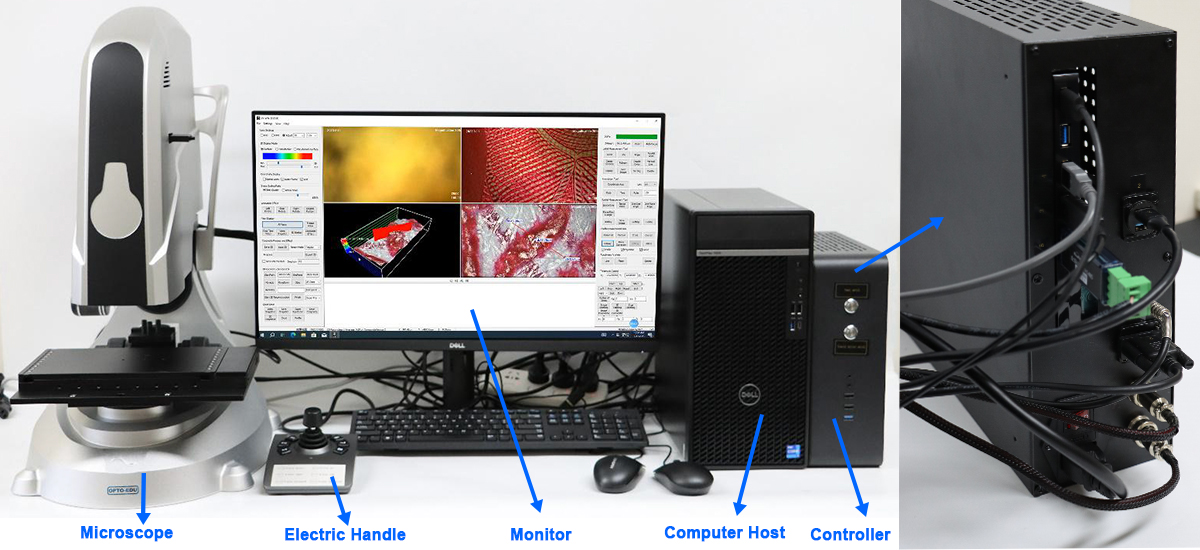
 This is an overall picture where you can clearly see the accessories included in M20.5830
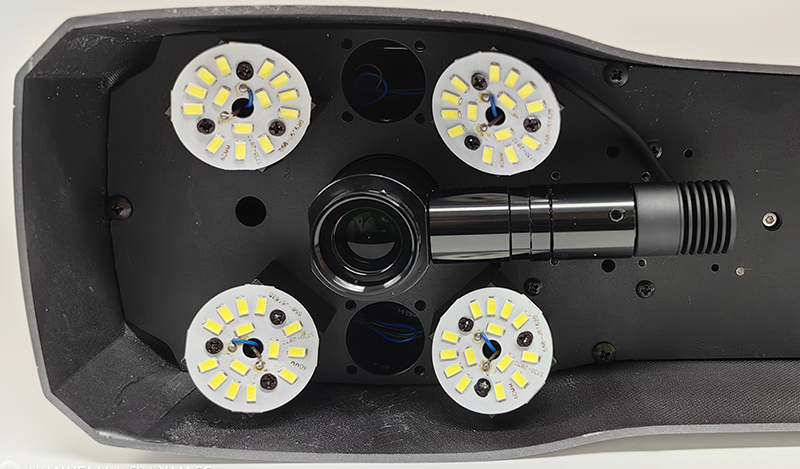
 Built-in 4-zone light source
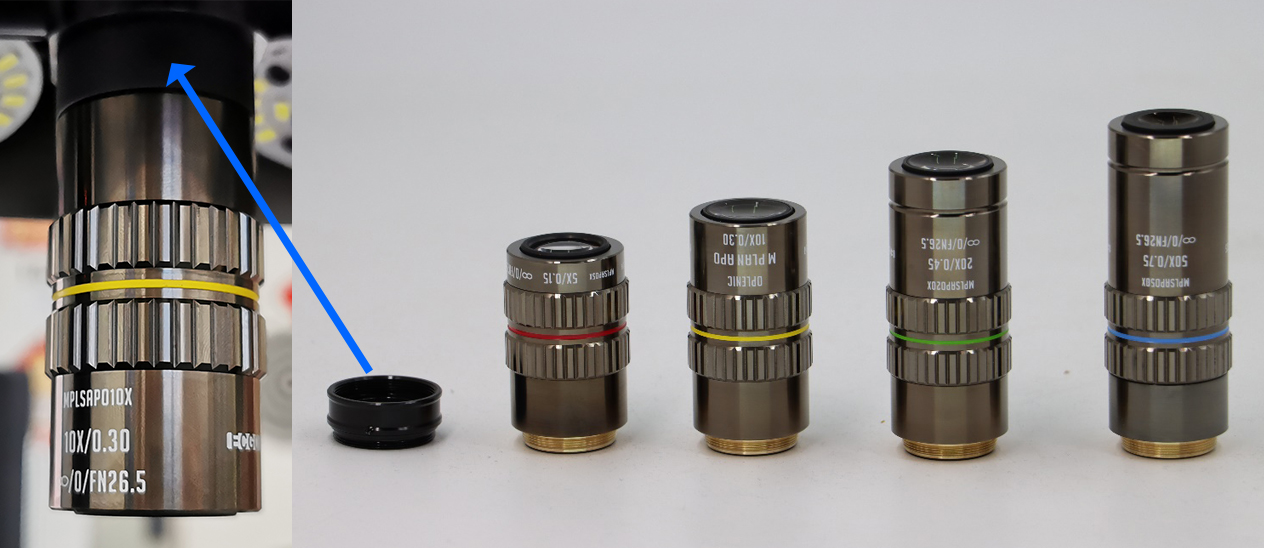
 Infinity Plan LWD APO 5x,10x,20x,50x,100x
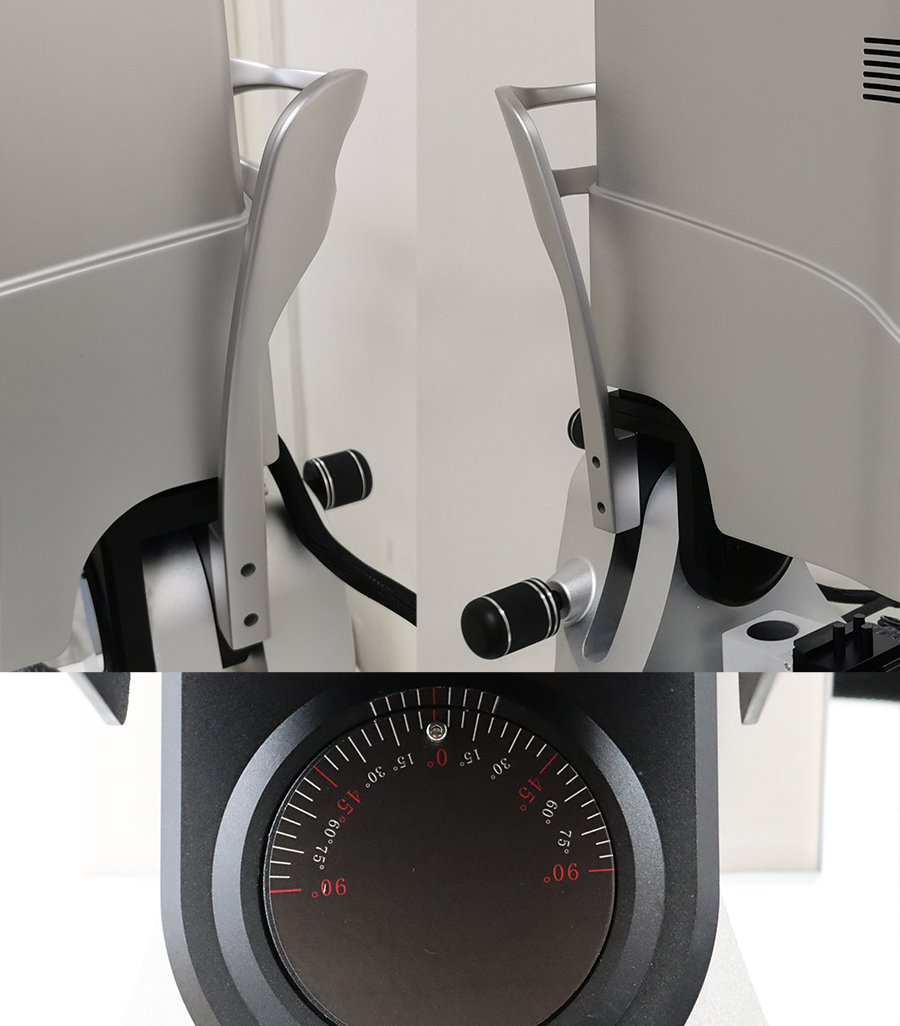
 Deflection handle: Can be tilted. This handle can assist in tilting the microscope
|
|
  |
|
|
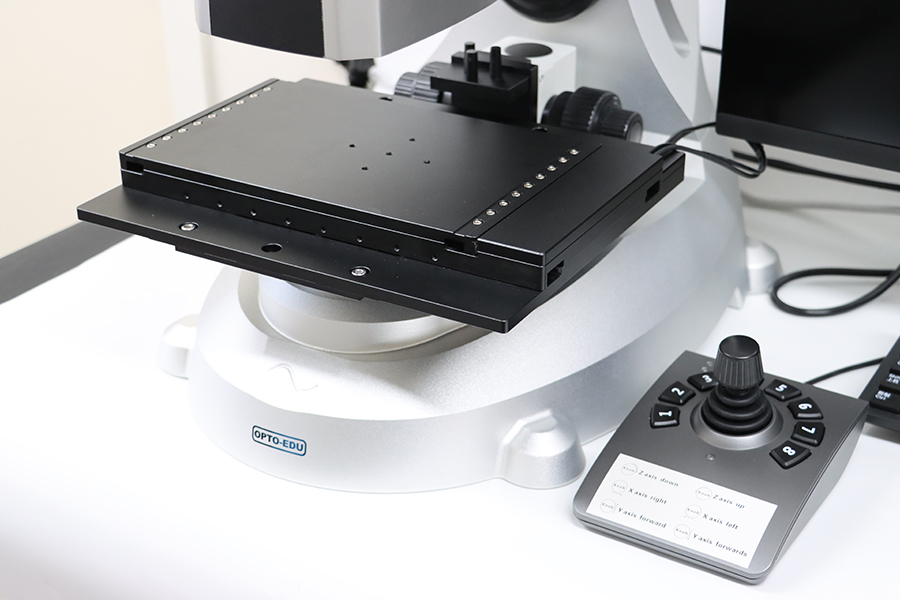
Dual Mode Stage Moving Range By Manual XY 70x50mm, By Motor XY 110x70mm
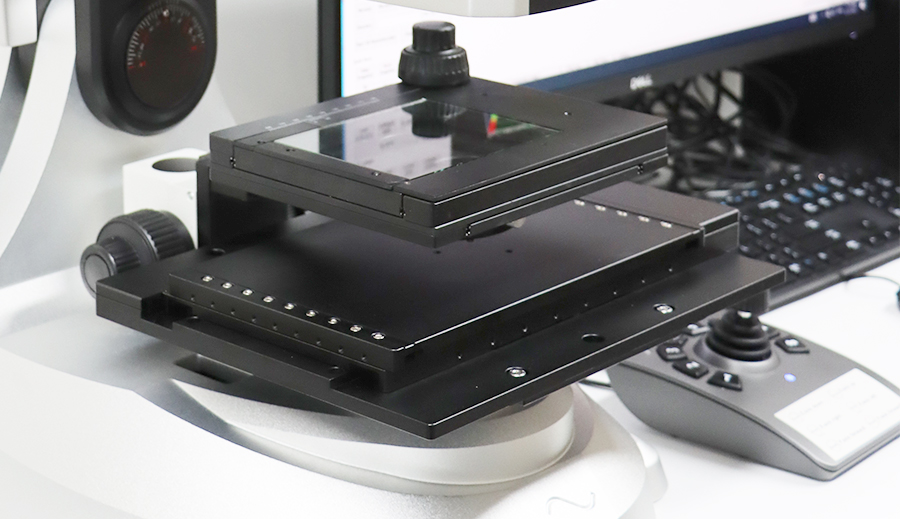 Piezoelectric displacement platform for X/Y/Z, Manual + Auto Focus, Motor Z Move Range 120mm
|
|
 |
|
|
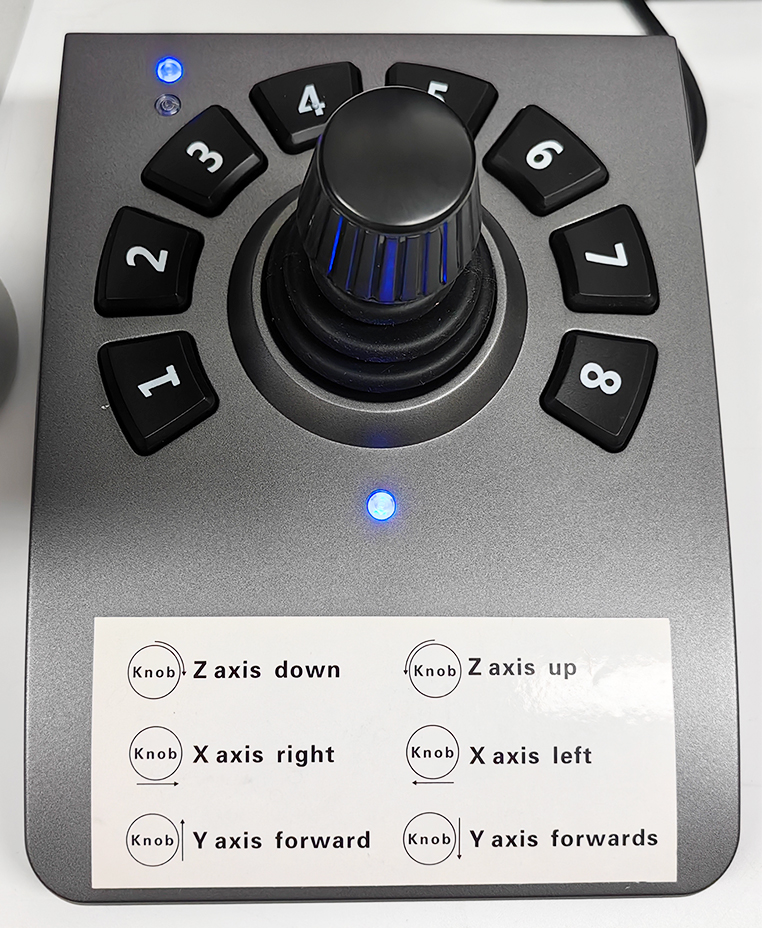
The remote control handle can control Z to move
1:High speed 2:Medium speed 3:Low speed
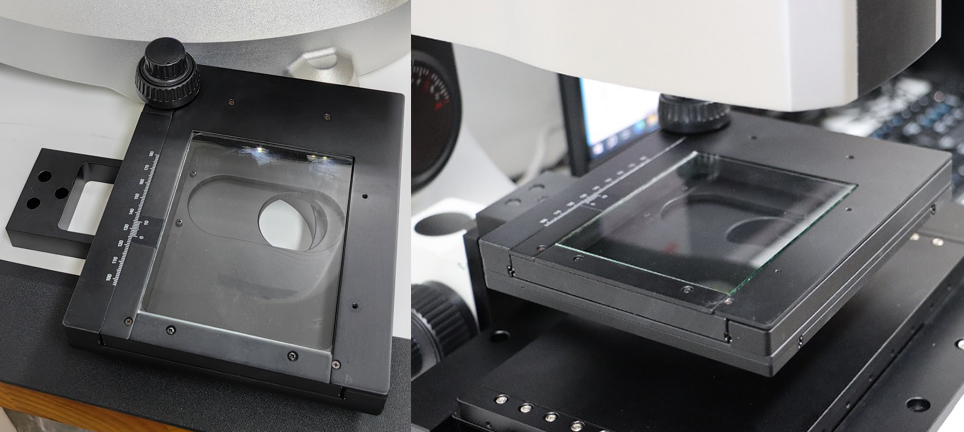
 The manual work stage controls X Y and is installed on the electric work stage. The manual work stage can
rotate 360 ° and can be closed by pressing a button
|
|
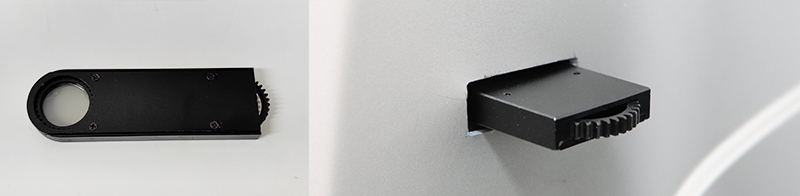
 Installation of polarized lenses
 The handheld objective lens 0-250x can be divided into four gears: 40X, 100X, 180X, 250X
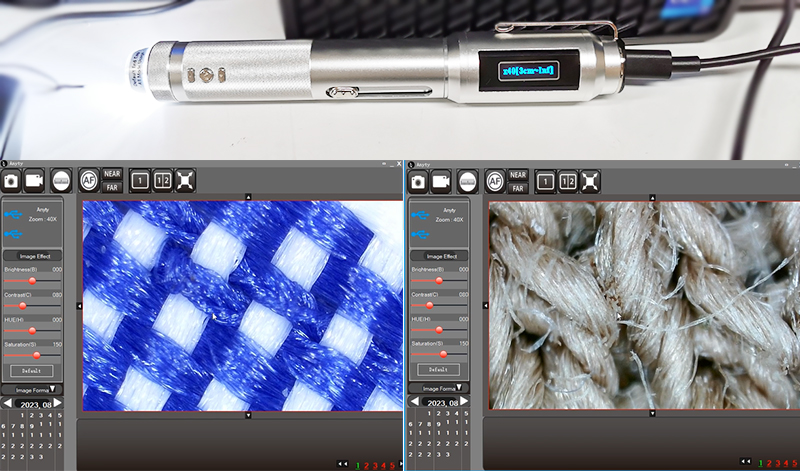 3. How to operate?Exclusive software that can achieve real-time observation, photography, ultra depth of field stitching, measurement, remark, storage, and other functions
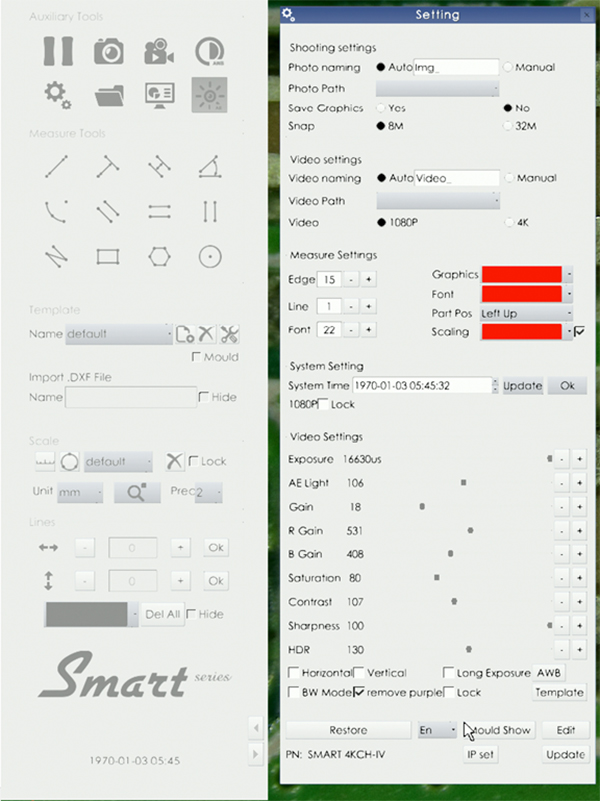
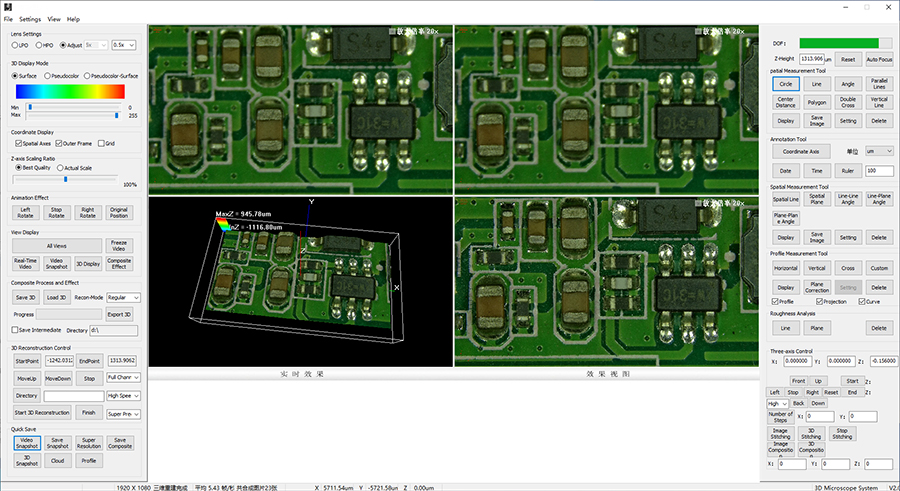 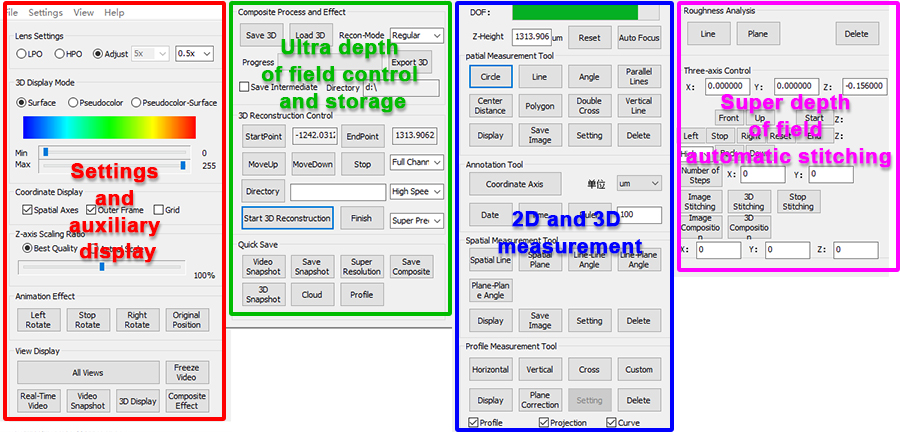 The real-time video function provides customers with full-screen large images, allowing customers to observe the samples most clearly. Click Video Snapshot, 3D Effect, Effect Snapshot in sequence to get a full-screen enlarged image. 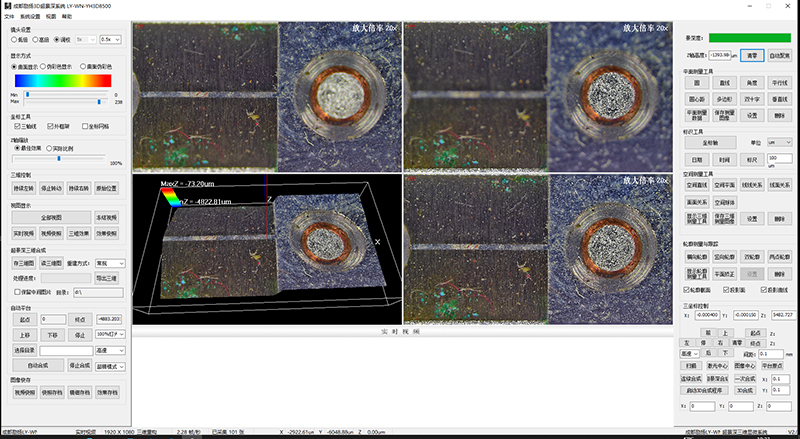 The system calibration has been set up at the factory. The camera settings can only be completed with the mouse alone. The magnification display and angle display can be clicked as needed.
(Note: The camera has its own matching small mouse, which can be operated through the camera's software)
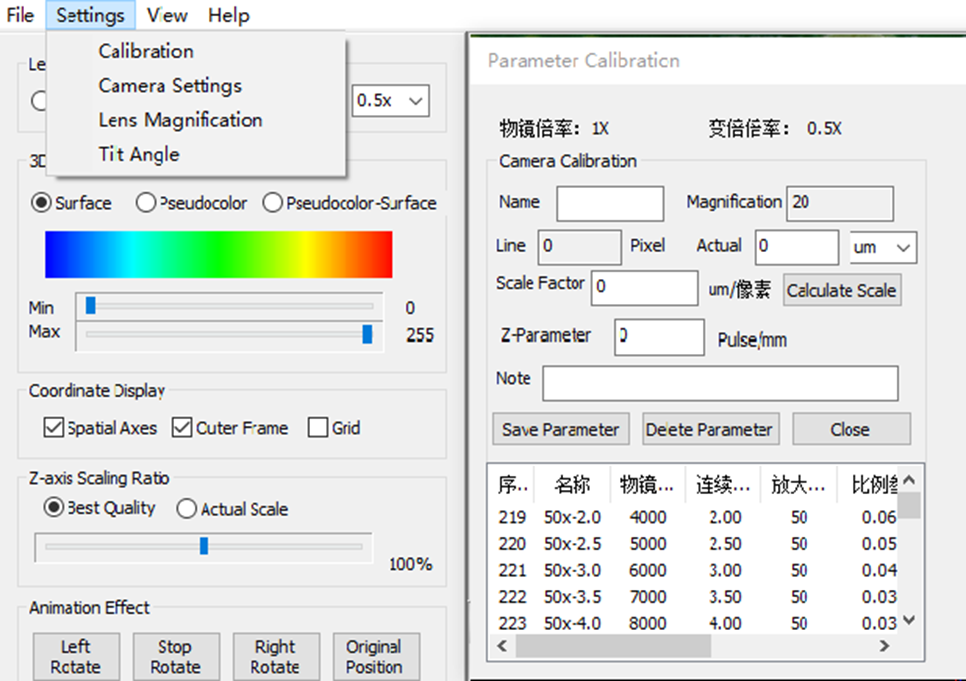
 System calibration (The objective magnification must be matched before checking, otherwise measurement errors will occur.)
Principle: For flat digital measurement, first determine the multiple. At this multiple, after verification, calculate the actual size of the pixels of the screen. Once you measure how many pixels there are, you can get the actual size.
 Lens settings and selection The corresponding function in the corresponding objective lens selection software, select high magnification objective lens for high magnification, and use low magnification for low magnification objective lens. 1X is low magnification, 5X-50X) is high magnification.
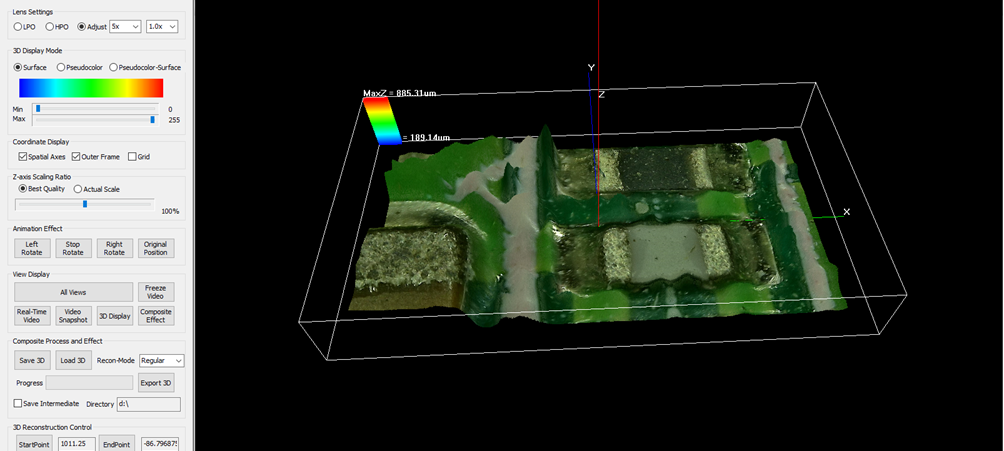
 Surface display mode (common 3D mode)
This function displays real color microscopic 3D topography and is one of the most commonly used functions.
 False color display mode
The chromaticity ratio of false color can be achieved by adjusting the pull bar under the color box, and this function mainly determines the position of the highest part or lowest point through color. Only color, no texture 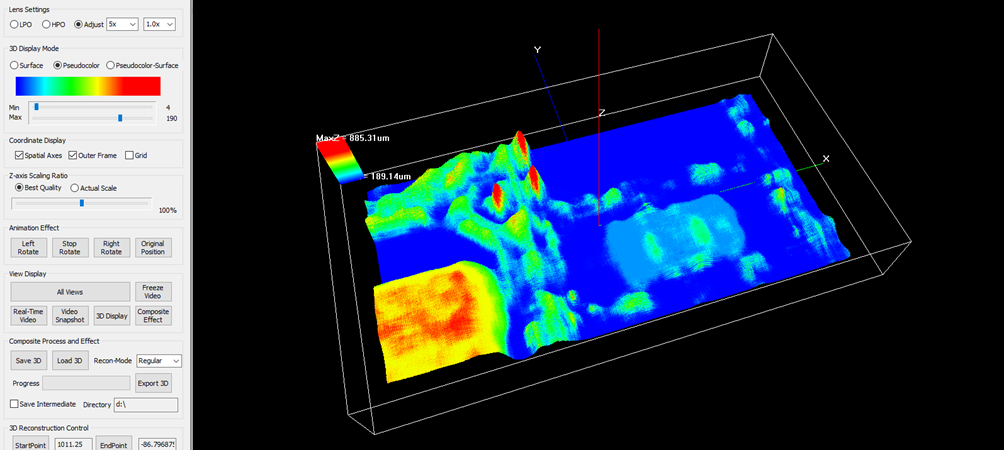 Surface false color
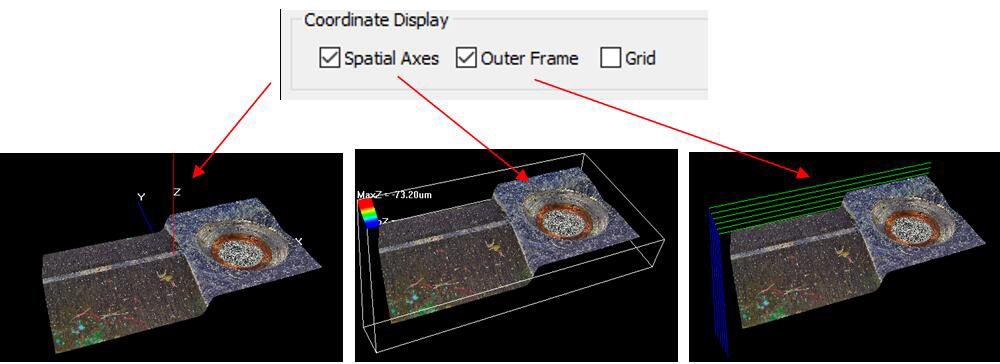
The chromaticity ratio of surface pseudo color can be achieved by adjusting the progress bar pull below the color box, and this function is mainly used to determine the position of the highest part or highest point. Both color and texture, full 3D. 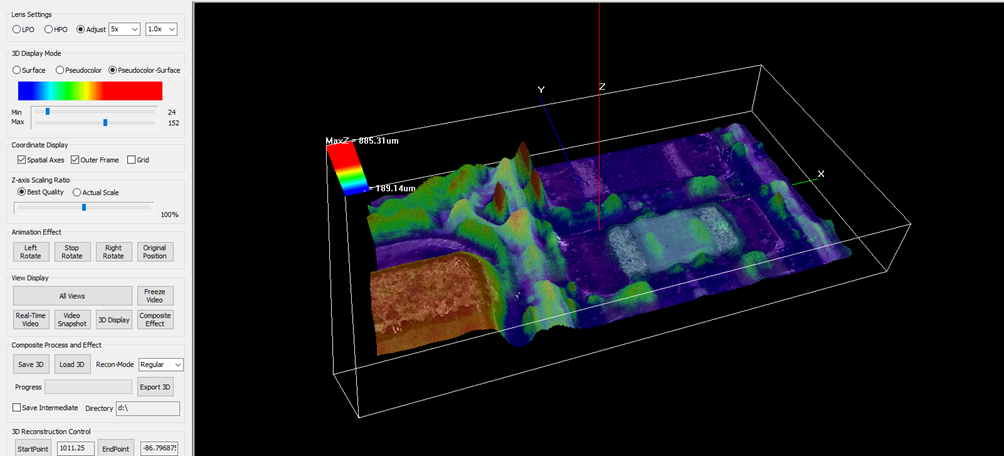 The three auxiliary displays can be freely selected and matched to achieve the best 3D auxiliary display effect
 Click save 3D , Load 3D , enter the corresponding interface.The 3D files of this system have a .3dr file suffix.
Processing progress The progress of 3D synthesis is expressed by adding the display method through the green bar as a reference. Export 3D The 3D point cloud data can be saved in the form of a TXT file XYZ spatial coordinate values for scientific research and analysis, note: when saving the file, the amount of data is large and the waiting time is long. Keep the middle picture Check Keep the middle picture, create a folder in the D drive, the file name is 123, and enter d:\123 after the directory, that is, all sequence pictures can be retained in the process of compositing 3D. 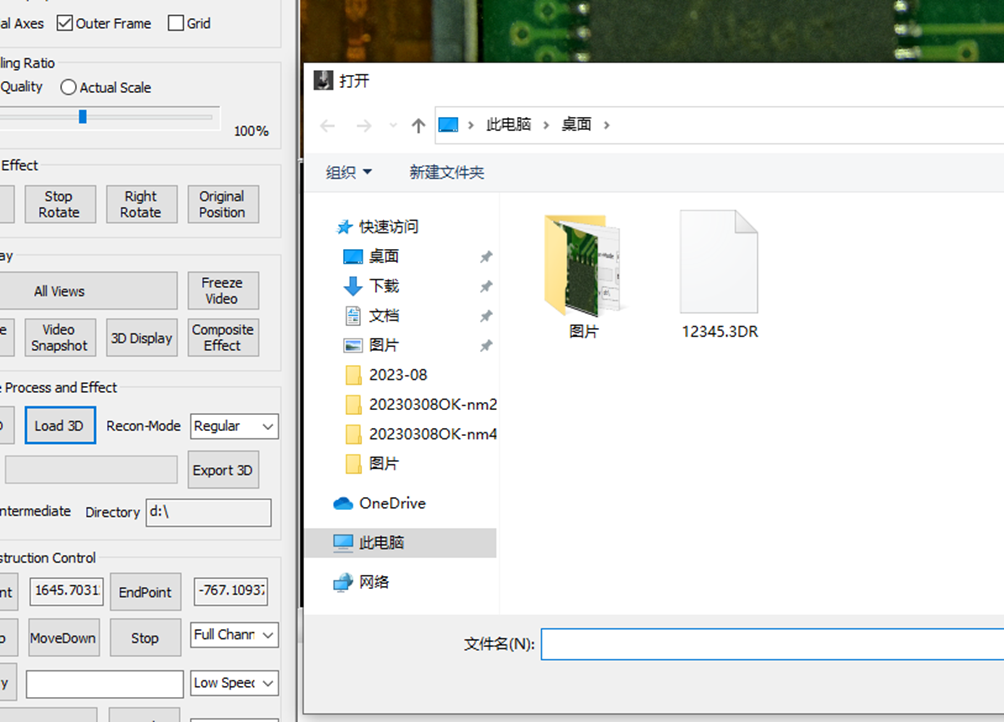 3D flat image stitching
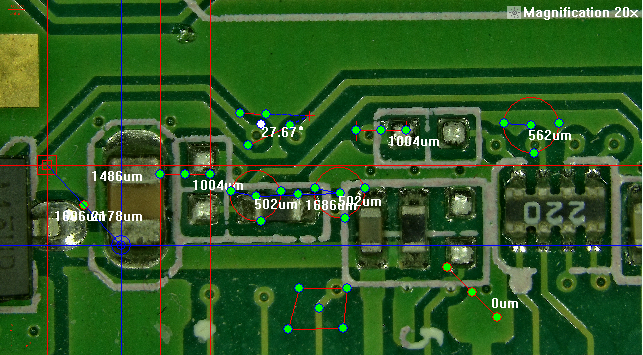
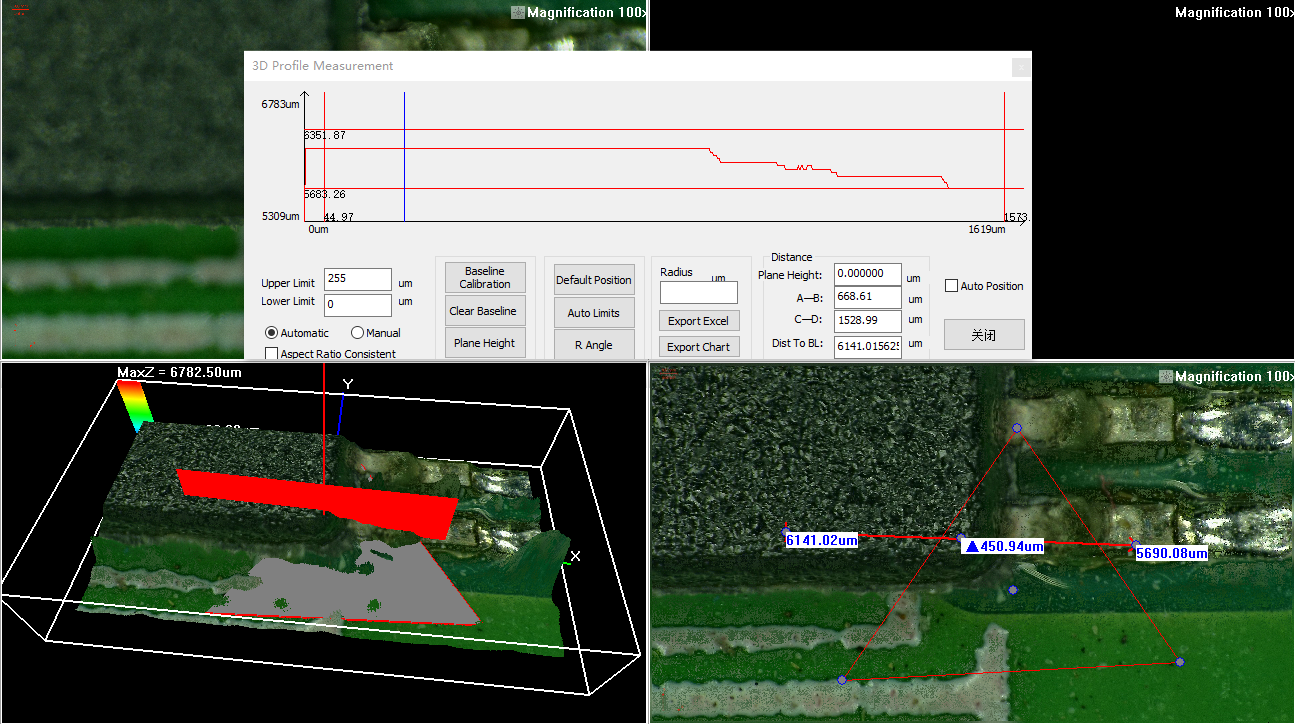
Mainly for small samples with Z undulation, fast three-dimensional stitching. 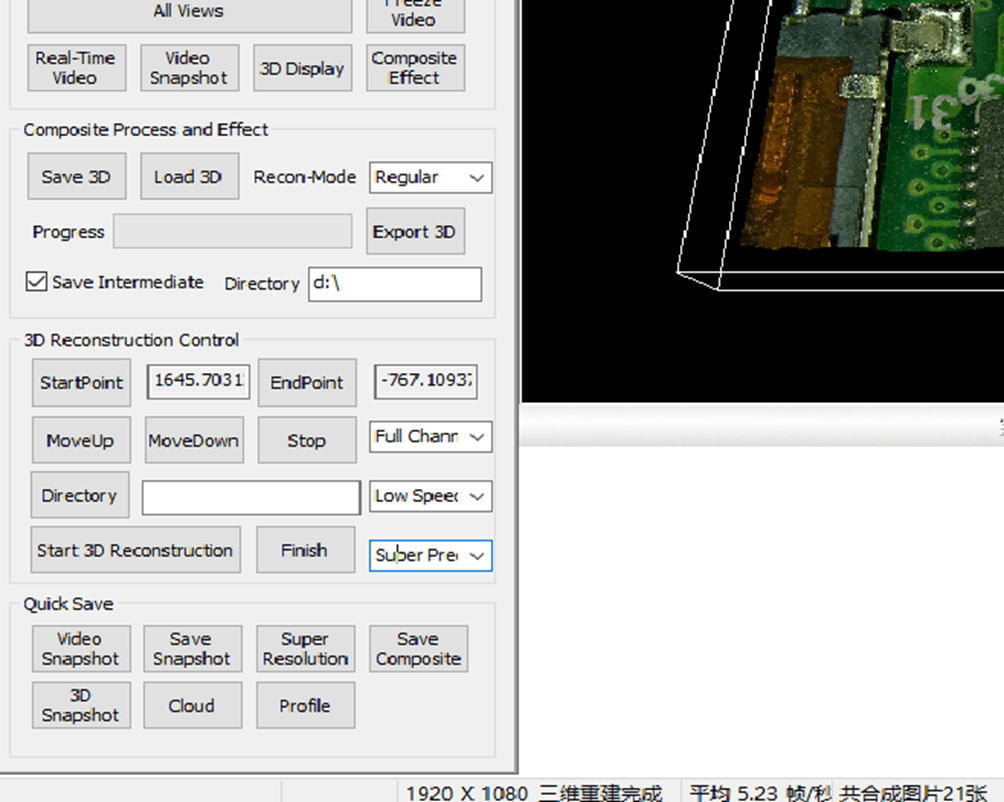 The system provides spatial measurement function, users can measure the three-dimensional spatial position of the object through the spatial measurement dialog box, the measurement methods include spatial linear relationship, spatial plane relationship, line-to-line relationship, line-plane relationship and plane-plane relationship. The measurement content includes spatial distance, XY, XZ, YZ projection distance and angle angle, and spatial angle. The original picture and the picture with measurement data can be saved separately, and the measurement data can be saved as an Excel file for easy query.
  3. Practical Operation
|
|
|
|
|
What is an industry Motorized Microscope?
15/02/2024
online service


online service
We are here online to support!


 Huang Xin